Multi-Context N-Gram Prediction
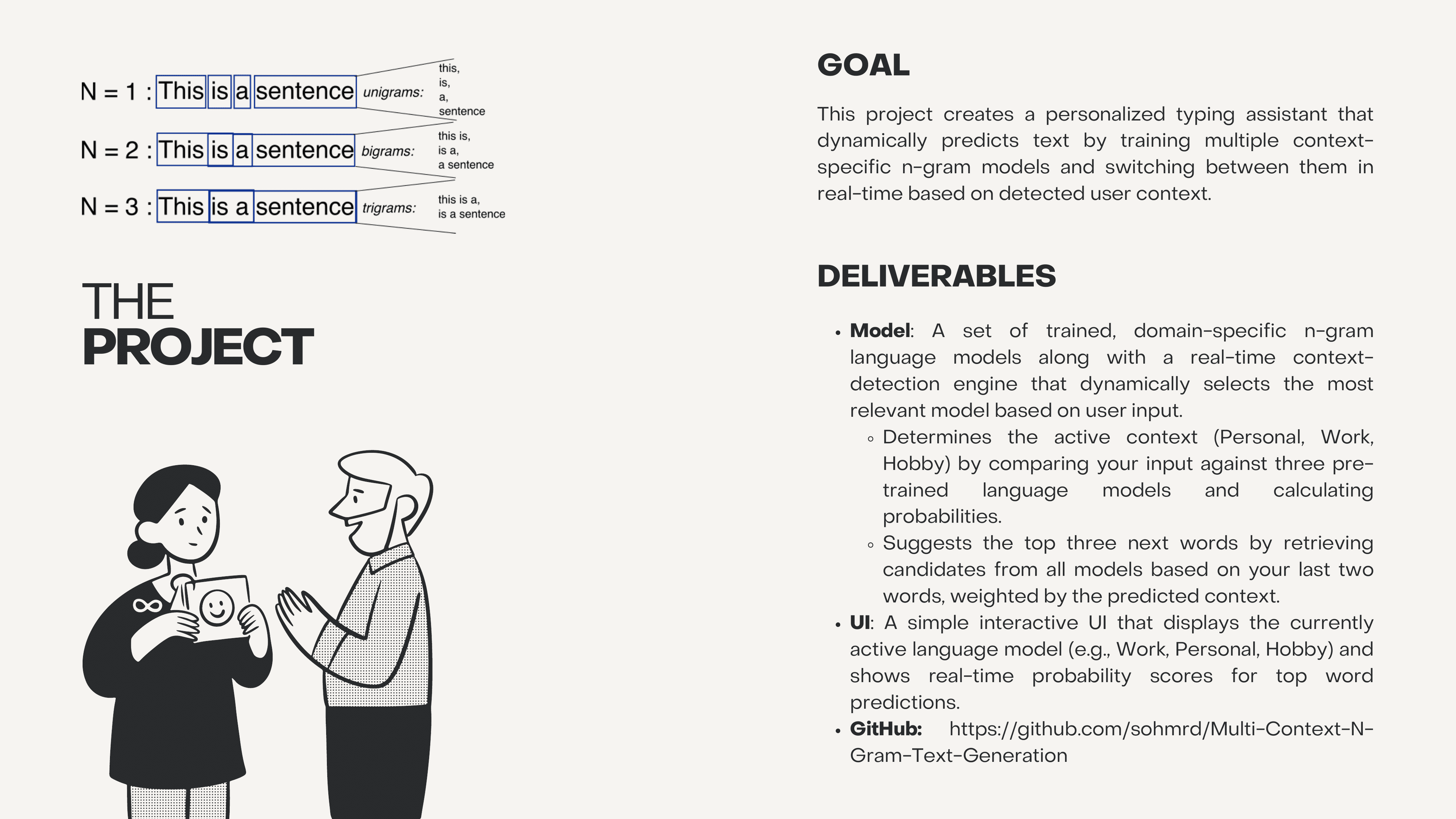
I built a context-aware text prediction system that trains independent trigram language models on personal, work, and hobby messaging data, then uses a backoff scoring algorithm with softmax normalization to detect which context you are typing in and suggest the most likely next words from the right model.
The Challenge
I wanted to build a personalized typing assistant that goes beyond generic autocomplete. The core idea: people write differently depending on who they are talking to. A message to a friend uses different vocabulary than a Slack message to a coworker or a post about a hobby. I trained three separate trigram language models on personal, work, and hobby text data, then built a real-time context detection engine that scores incoming text against all three models and dynamically selects the best one for next-word prediction.
The Logic
The context detection engine scores user input against all three trained models using a backoff strategy: trigram matches carry full log-probability weight, bigram prefix matches get a partial bonus, and individual known words get a small boost. Out-of-vocabulary words receive a penalty. Scores are normalized per word count to avoid bias toward longer inputs, then converted to probabilities via softmax.
def predict_context(text, models, vocabs, contexts):
    normalized_text = normalize_string(text)
    words = normalized_text.split()
    context_scores = {ctx: 0.0 for ctx in contexts}

    W_TRIGRAM = 1.0    # log-prob weight for trigram match
    W_BIGRAM  = 0.5    # bonus for bigram prefix match
    W_UNIGRAM = 0.2    # bonus for known word
    PENALTY   = -5.0   # out-of-vocabulary penalty

    for i, ctx in enumerate(contexts):
        vocab, model = vocabs[i], models[i]
        score = 0.0

        for word in words:
            score += W_UNIGRAM if word in vocab._word2token \
                else PENALTY

        # Bigram scoring
        for j in range(len(words) - 1):
            w1, w2 = words[j], words[j + 1]
            if w1 in vocab._word2token and w2 in vocab._word2token:
                t1 = vocab.word2token(w1)
                t2 = vocab.word2token(w2)
                if t1 in model and t2 in model.get(t1, {}):
                    score += W_BIGRAM

        # Trigram scoring
        for j in range(len(words) - 2):
            w1, w2, w3 = words[j], words[j+1], words[j+2]
            if all(w in vocab._word2token for w in [w1, w2, w3]):
                t1, t2, t3 = [vocab.word2token(w)
                    for w in [w1, w2, w3]]
                prob = model.get(t1,{}).get(t2,{}).get(t3, 0)
                if prob > 0:
                    score += math.log(prob) * W_TRIGRAM

        context_scores[ctx] = score / max(len(words), 1)

    # Softmax normalization
    mx = max(context_scores.values())
    exp = {c: math.exp(s - mx) for c, s in context_scores.items()}
    total = sum(exp.values())
return {c: e / total for c, e in exp.items()}Failure Log
Three problems shaped the final architecture of the system.
v1: Training Data
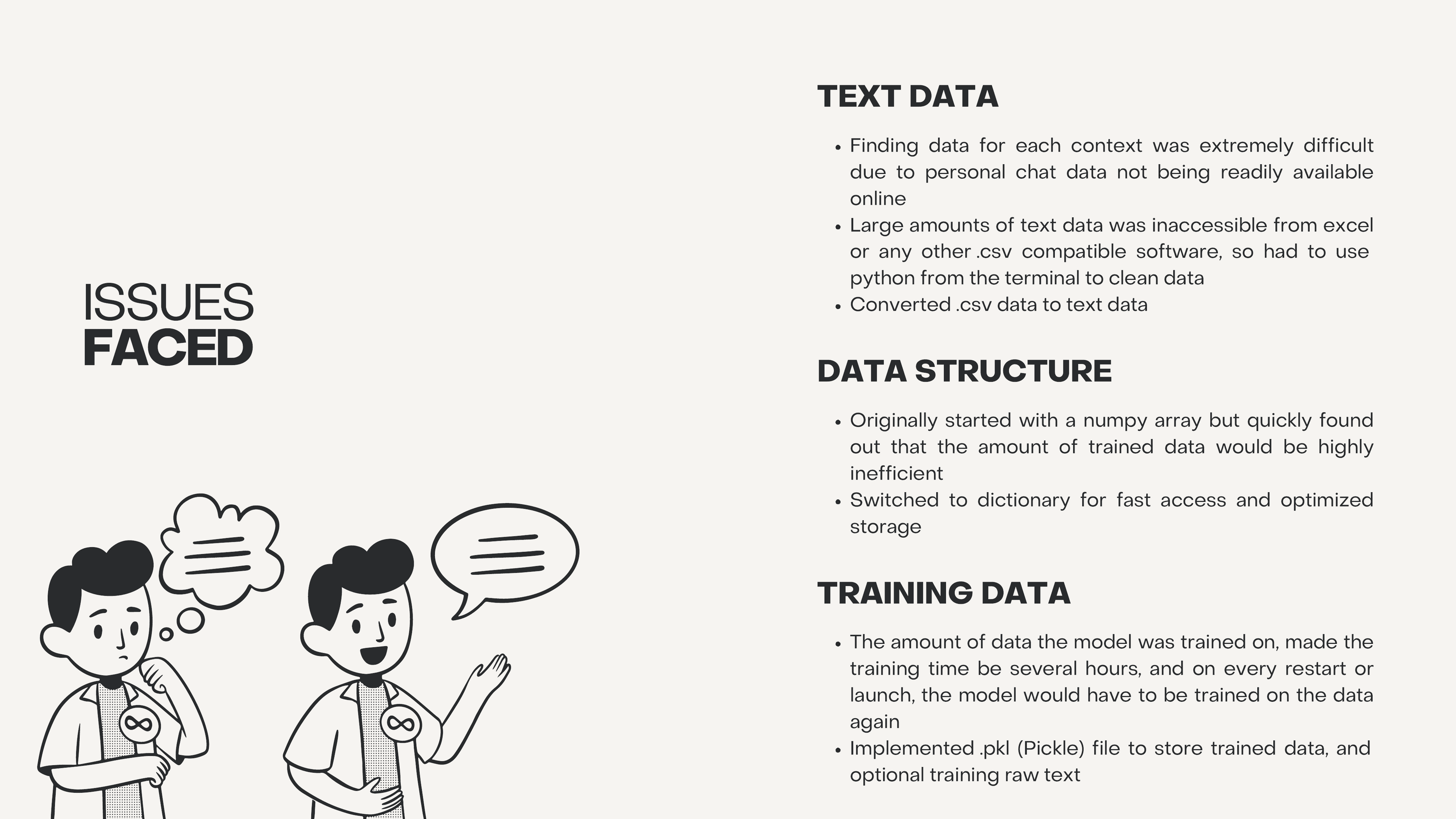
Personal chat data is not publicly available, and large text exports from messaging apps were inaccessible from Excel or any CSV-compatible tool.
Wrote Python scripts to clean raw chat exports from the terminal, converting CSV dumps to plain text files suitable for trigram training.
v2: Data Structure
Started with NumPy arrays to store trigram counts, but memory usage scaled with vocabulary size cubed. Training on real conversation data was impractical.
Switched to sparse nested dictionaries ({t1: {t2: {t3: count}}}) for O(1) lookup with storage proportional only to observed trigrams, not the full vocabulary cube.
v3: Training Time
Training on the full dataset took several hours, and every notebook restart required retraining from scratch.
Implemented Pickle serialization to save trained models and vocabularies to disk. Subsequent launches load instantly from the .pkl file instead of retraining.
The Outcome
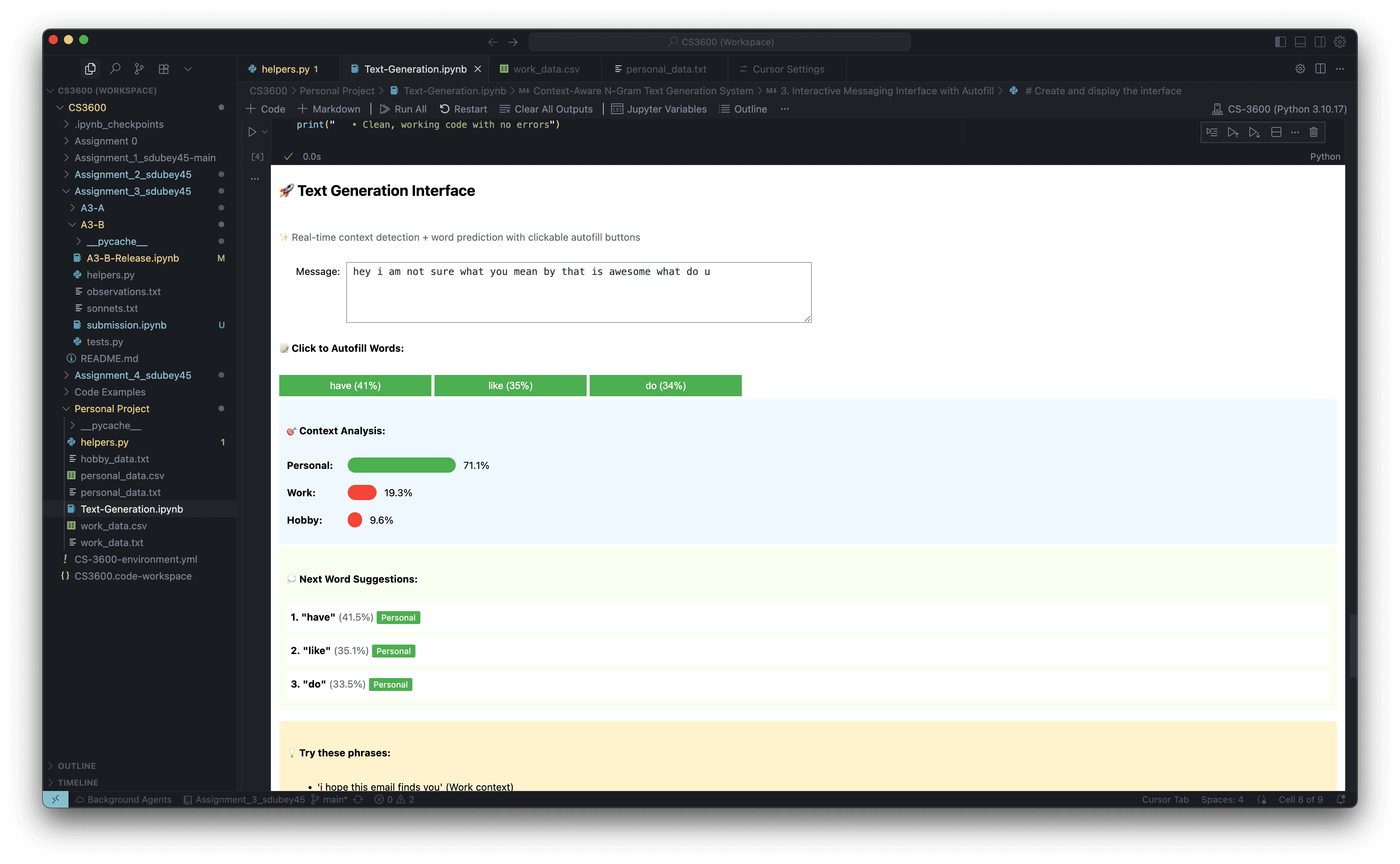
The final system runs as an interactive Jupyter notebook with a real-time text input field, clickable autofill buttons showing the top three predicted words with probabilities, and a live context analysis bar chart showing the probability distribution across Personal, Work, and Hobby models. Typing a casual message like "hey what are you doing" shifts the context detector toward Personal (71%), while a phrase like "I hope this email finds you" pulls it toward Work. The project taught me the fundamentals of language modeling from scratch, before transformers, and gave me intuition for why context-specific models outperform one-size-fits-all approaches.